
Home > For Acer Laptop Batteries > For Acer AP21D8M Battery
57.48Wh 15.4V AP21D8M Battery For Acer Nitro V 15 ANV15-51 AN16-51 5 AN515-58
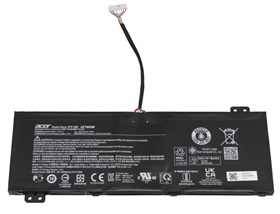
For Acer AP21D8M Battery


Replacement For Acer AP21D8M Battery - 57.48Wh 15.4V
High Quality Grade A cells ensure fast charges and low power consumption; Built-in circuit protection ensures both safety and stability. Brand new battery for Acer AP21D8M from Manufacturer.The Acer AP21D8M battery is individually tested before shipment and backed by 30 day complete satisfaction guarantee and a 1 Year warranty.

Item name: For Acer AP21D8M Battery
Availability: In Stock
AU $ + Shipping Rate
Replacement For Acer AP21D8M Laptop Battery
- Warranty
- 12 months
- Capacity
- 57.48Wh
- Volts
- 15.4V
- Color
- Black
15.4V, 57.48Wh battery for acer AP21D8M. The quality of this replacement for acer AP21D8M battery is certified as well by RoHS and the CE to name a few. Cheap price and high quality!
Safety is also key with laptop batteries for acer, therefore all laptop battery for acer AP21D8M have top quality 100% Grade "A" cells for premium capacity and reliability and 5 levels of protection including a failsafe thermal switch.
Replacement Battery Code:
Replacement For: Acer AP21D8M
Fits model:
Replacement For : Acer
Nitro 16 AN16-51, Nitro 5 AN515-58-72QR, Nitro 5 AN515-58-74JS, Nitro 5 AN515-46, Nitro 5 AN515-47, Nitro 5 AN515-58, Nitro 5 AN515-58-75UH, Nitro 5 AN515-58-77YC
Acer Nitro Series
Nitro V 15 ANV15-51
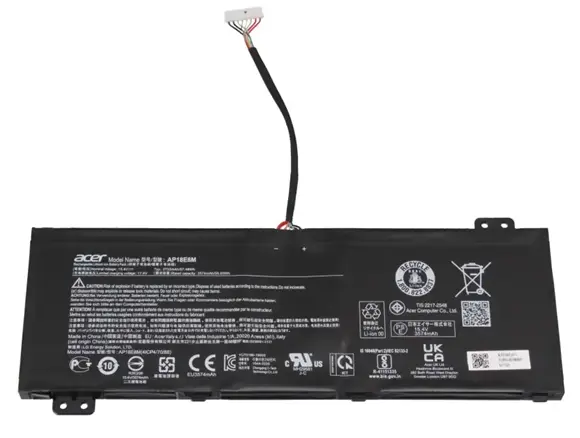
Attention
- 100% Brand New ,High Quality Battery Cells
- Item is 100% OEM Compatible
- No memory effect. Chargeable even if it has not been used up yet
- Run Longer Time,Best Replacement for the original Acer AP21D8M Battery
Instruction for Use:
1) For the first time using the new battery,please discharge it to 5% and the fully charge it to 100%.
2) Never run your battery below the 2% critically low warning point. If your battery is run below this point it may not have enough energy to even recharge. This may effectively 'kill' your Acer AP21D8M battery.
3) If you plan to place your laptop battery in storage, be sure to have the charge at 40% and stored in the fridge (not freezer) for maximum laptop battery longevity.
4) Make your laptop into sleep or hibernate when the notebook is not in use.
5) Choose correct laptop adapter,if a replacement battery is not charged,perhaps your adapter can not be compatible with it.

No Worries Warranty!
1 Year Product Warranty!
60 Days Money Back Guarantee!
100% RISK-FREE!
Our Goal is 100% Customer Satisfaction and Customer Success.
Laptop Battery
-
Replacement For :
- Battery For Acer
- Battery For Amazon
- Battery For Asus
- Battery For Benq
- Battery For Clevo
- Battery For Dell
- Battery For Huawei
- Battery For HP/Compaq
- Battery For Lenovo
- Battery For Microsoft
- Battery For MSI
- Battery For Panasonic
- Battery For Razer
- Battery For Samsung
- Battery For Sony
- Battery For Toshiba
Laptop AC Adapter
- For Acer AC Adapter
- For Asus AC Adapter
- For Chicony AC Adapter
- For Dell AC Adapter
- For Delta AC Adapter
- For HP AC Adapter
- For LG AC Adapter
- For Microsoft AC Adapter
- For Lenovo AC Adapter
- For Sony AC Adapter
- For Samsung AC Adapter
- For Toshiba AC Adapter
Top Battery
-
Replacement For :
- Acer AP18H8L
- AP20CBL Battery
- Acer AP18E8M
- Acer AP18C8K
- ap18e7m battery
- AP19B5L battery
- acer ac17a8m battery
- Acer AP16L5J
- Acer AS16A8K
- AC14B18J Battery
- Acer AP1505L
- Acer AP16M5J
- Acer ap19b8k


