
Home > For Microsoft Tablet Batteries > For Microsoft 96BTA015H Battery
Replacement 50.20Wh 11.38V For Microsoft DYNC01 96BTA015H Battery
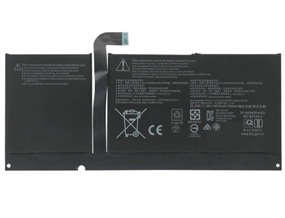
For Microsoft 96BTA015H Battery


Replacement 96BTA015H Battery For Microsoft Surface Pro 8 1982 1983 - 50.20Wh 11.38V
The replacement for microsoft 96BTA015H battery is specially designed for the original microsoft 96BTA015H battery.It is safe with overvoltage, shortcircuit and overcurrent protection. The quality of this battery for microsoft 96BTA015H is certified as well by FCC,RoHS and the CE to name a few.One year warranty and 30days money back!

Item name: For Microsoft 96BTA015H Battery
Availability: In Stock
AU $ + Shipping Rate
Wholesale 96BTA015H Battery Price List:
| Quantity | Unit Price ($) |
| 2-5 | |
| 6-10 | |
| 11-20 | |
| Order More? Contact Us | |
Replacement For Microsoft 96BTA015H Battery
- Warranty
- 12 months
- Capacity
- 4414mAh / 50.20Wh
- Volts
- 11.38V
- Color
- Black
Replacement Battery Code:
Replacement For: 96BTA016H, DYNC01, 96BTA015H
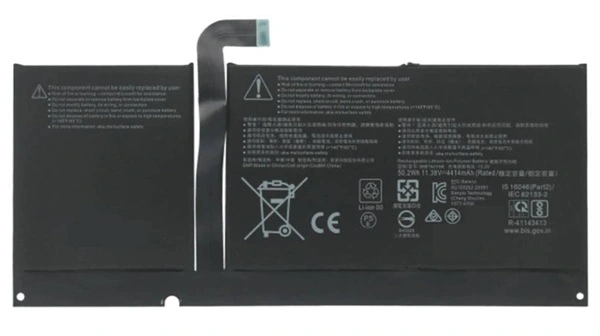
Fits model:
Replacement For : Microsoft Surface Pro 8 & 1982/1983 Tablet
Battery Tips
1)A new battery for Microsoft Surface needs to be fully charged and fully discharged or "cycled" as much as five times to condition them into performing at full capacity.
2)Product Type : Replacement Battery ,100% compatible with your original battery.
3)Condition : New brand, High quality,1 year warranty, 30 days money back!
4)The Microsoft 96BTA015H Battery Replacement provides 300-500 discharge/charge cycles.
5)Keep the battery for Microsoft 96BTA015H cool and store only in a cool, dry location.
6)The Battery Replacement is Quality Tested and RoHS & CE Certified.
New 96BTA015H battery received, discharge the battery to 5% (not 0%) for the fist use, then charge and cycle 3-4 times to wake up the new battery.
Do not connect adapter for a long time while using the battery. It may damage the battery.
Do not run out of battery power to 0%, the lithium battery will turn on the Charge Protection. So it can not be recharged any more.
If the battery needs to remain idle in a month or a longer time, remove the battery out of the computer, charge it to 60%-80% and store it in a dry cool and clean place.
All brand names & logos & trademarks are the property of their respective holders and are referred to here for descriptive purpose only. The listed brand names and model designations are intended only to show the compatibility of these products with various machines. We are therefore in no way associated with these companies.We do not sell original name-brand laptop batteries. Use of the site constitutes acceptance of our Terms and Conditions.

No Worries Warranty!
1 Year Product Warranty!
60 Days Money Back Guarantee!
100% RISK-FREE!
Our Goal is 100% Customer Satisfaction and Customer Success.
Laptop Battery
-
Replacement For :
- Battery For Acer
- Battery For Amazon
- Battery For Asus
- Battery For Benq
- Battery For Clevo
- Battery For Dell
- Battery For Huawei
- Battery For HP/Compaq
- Battery For Lenovo
- Battery For Microsoft
- Battery For MSI
- Battery For Panasonic
- Battery For Razer
- Battery For Samsung
- Battery For Sony
- Battery For Toshiba
Laptop AC Adapter
- For Acer AC Adapter
- For Asus AC Adapter
- For Chicony AC Adapter
- For Dell AC Adapter
- For Delta AC Adapter
- For HP AC Adapter
- For LG AC Adapter
- For Microsoft AC Adapter
- For Lenovo AC Adapter
- For Sony AC Adapter
- For Samsung AC Adapter
- For Toshiba AC Adapter
Top Battery
-
Replacement For :
- g3hta061h
- microsoft 93HTA001H
- G3HTA003H
- G3HTA052H
- G3HTA057H Battery
- G3HTA044H
- G16QA043H
- G3HTA038H
- G3HTA074H
- G3HTA023H


